Open-source · ESP8266 · v1.2

Focus.
Feed the bunny.
Repeat.

Pomodoro Rabbit is a desk timer with a virtual pet. Every focus session you finish feeds and grows your rabbit, from an egg to an adult. Skip work and it gets hungry and sad, but it never dies.

NodeMCU ESP8266 · 1.8" ST7735 TFT · 3 buttons · buzzer

⭐12🥕3🔥7
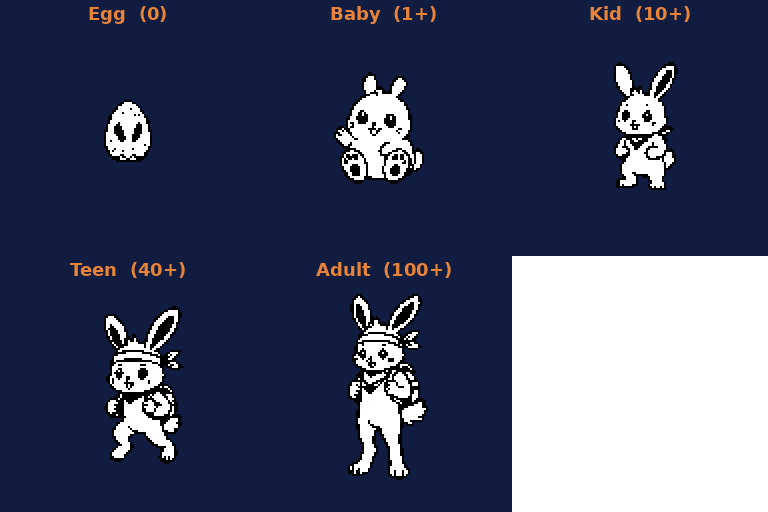
The rabbit growing from egg to adult
Keep Doing
MODE
OK
BACK

How it works

Your to-do list and your pet share one loop.

📝

Pick a task

Add up to 7 to-dos on the web page, then choose one on the device.

⏳

Focus

25 or 50 minutes with an animated hourglass and a soft heartbeat sound.

🥕

Earn

Carrots, Growth and Stars. 25 min = 1 carrot, 50 min = 2.

🐰

Care

Feed, pet and play. Your rabbit grows: Egg, Baby, Kid, Teen, Adult.

Meet the rabbit

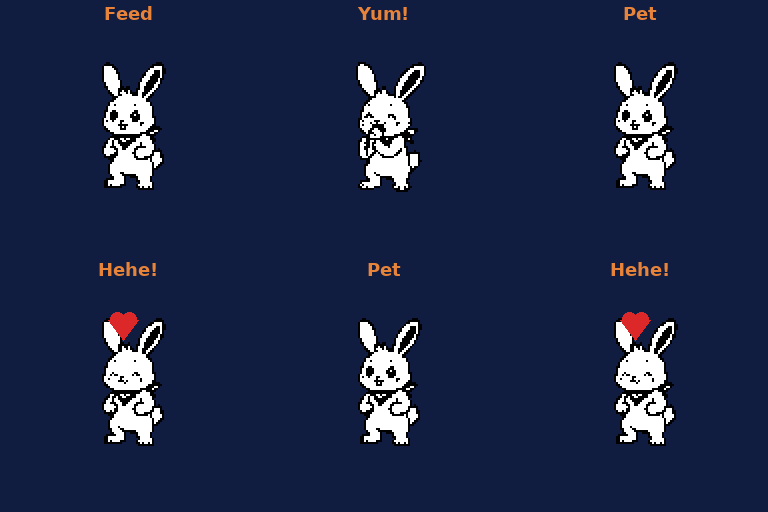
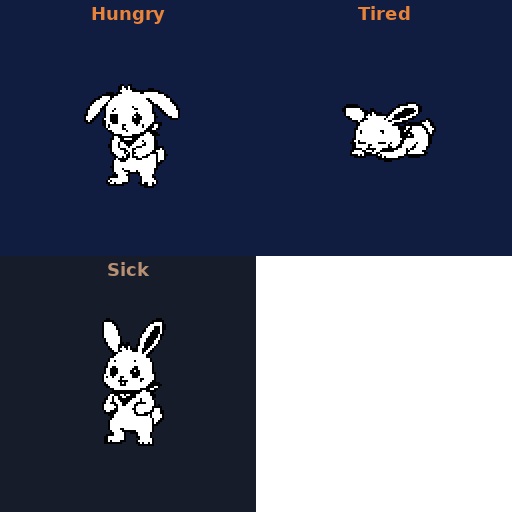
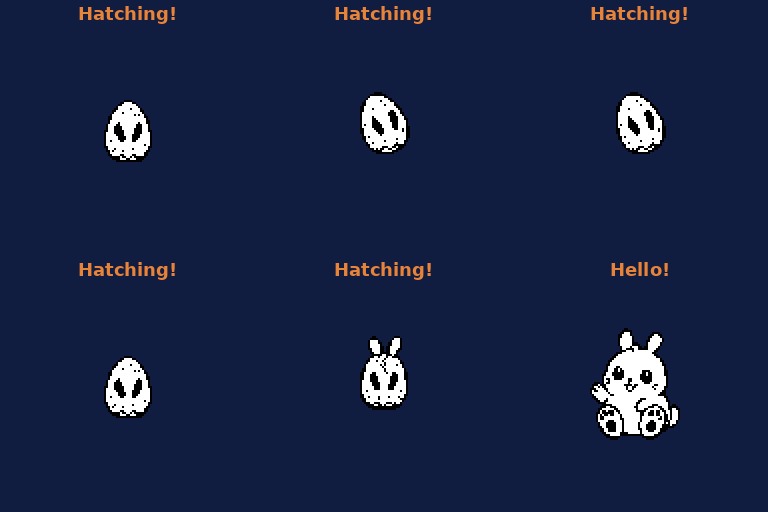
Pixel art drawn 1-bit on a 128×160 screen. It hatches, plays, gets moody and sleeps at night.

⭐ Rewards shop

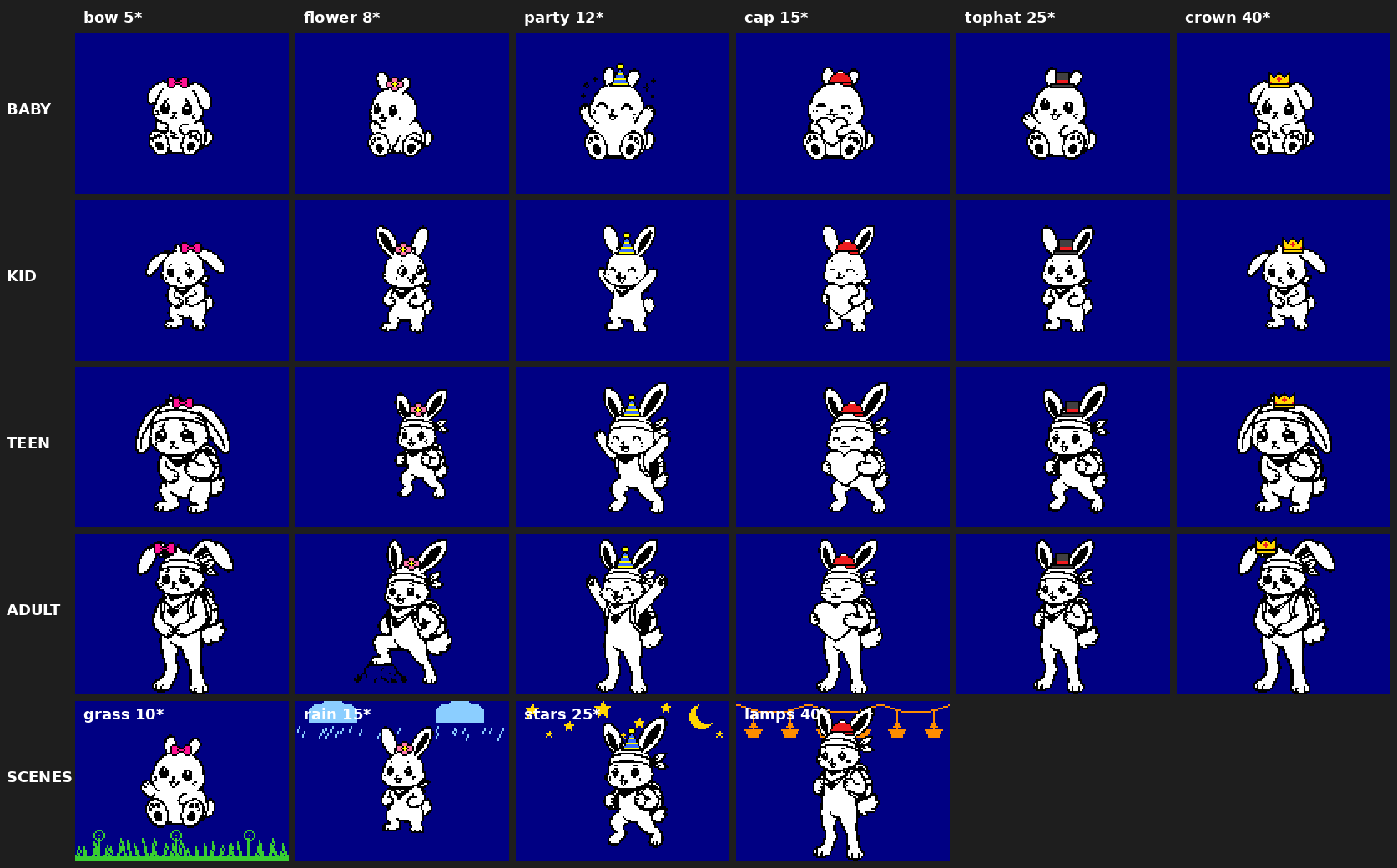
Earn Stars (25 min = 1, 50 min = 2, finished task +1, max 8 a day) and dress your rabbit from the web page.

Hats on every stage and four scenes
🎀 Bow 5🌸 Flower 8🥳 Party hat 12 🧢 Cap 15🎩 Top hat 25👑 Crown 40 + 30-day streak 🌱 Grass 10🌧️ Rain 15✨ Stars 25🪔 Festival lamps 40 + 100-day streak

Features

Everything runs on the ESP8266 itself. No cloud, no app required.

⏱️Pomodoro presets25 → 5 break, 50 → 10 break, every 4th gets a 15 min long break. Quick 10 min focus too.
🔔Soothing soundsStart bell, 264 Hz heartbeat loop during focus, and a gentle done chime. Hold MODE to mute.
✅To-do linked focusFocus on a task, then answer "Task done?". Unfinished tasks carry over to tomorrow.
🔥Streaks & shieldsDaily streak, best streak, a shield every 7 days, milestones at 3, 7, 30 and 100.
🌐Built-in web pageOpen pomodoro.local for to-dos, stats, history, shop, settings and backups.
📊Weekly reportSun–Sat focus bars, best day, best task and care counts, built in your browser.
🕗Knows the timeGood morning at 8, lunch at 1, yawns at 10 pm, sleeps at night. NTP time with an offline fallback.
📱Phone alertsFree ntfy notifications: break over, hungry rabbit, evening summary.
🔋Power-cut safeTwo checksummed save slots, and a running focus resumes after a reset or power cut.
🪔Festival dayMark a holiday and the rabbit skips all penalties that day.
📶Easy Wi-Fi setupA Pomodoro-Setup hotspot with a captive portal. No passwords in code.
😴Idle sleepAfter an hour idle the backlight dims and Wi-Fi switches off. Any button wakes it.
Build your own

A breadboard weekend project. No soldering skills needed to start.

PartNotes
ESP8266 NodeMCUv2/v3, 4 MB flash
1.8" ST7735 TFT128×160, black tab
Passive buzzervia BC547 + 1 kΩ + 1N4148
3 push buttonsMODE, OK, BACK
10 kΩ resistorpull-up for BACK (D0)
USB cablepower
SignalPin
TFT CS / DCD8 / D3
TFT SDA / SCKD7 / D5
TFT LED / RSTD4 / RST
TFT VCC3V3
BuzzerD6 → BC547
MODE / OK / BACKD1 / D2 / D0 → GND
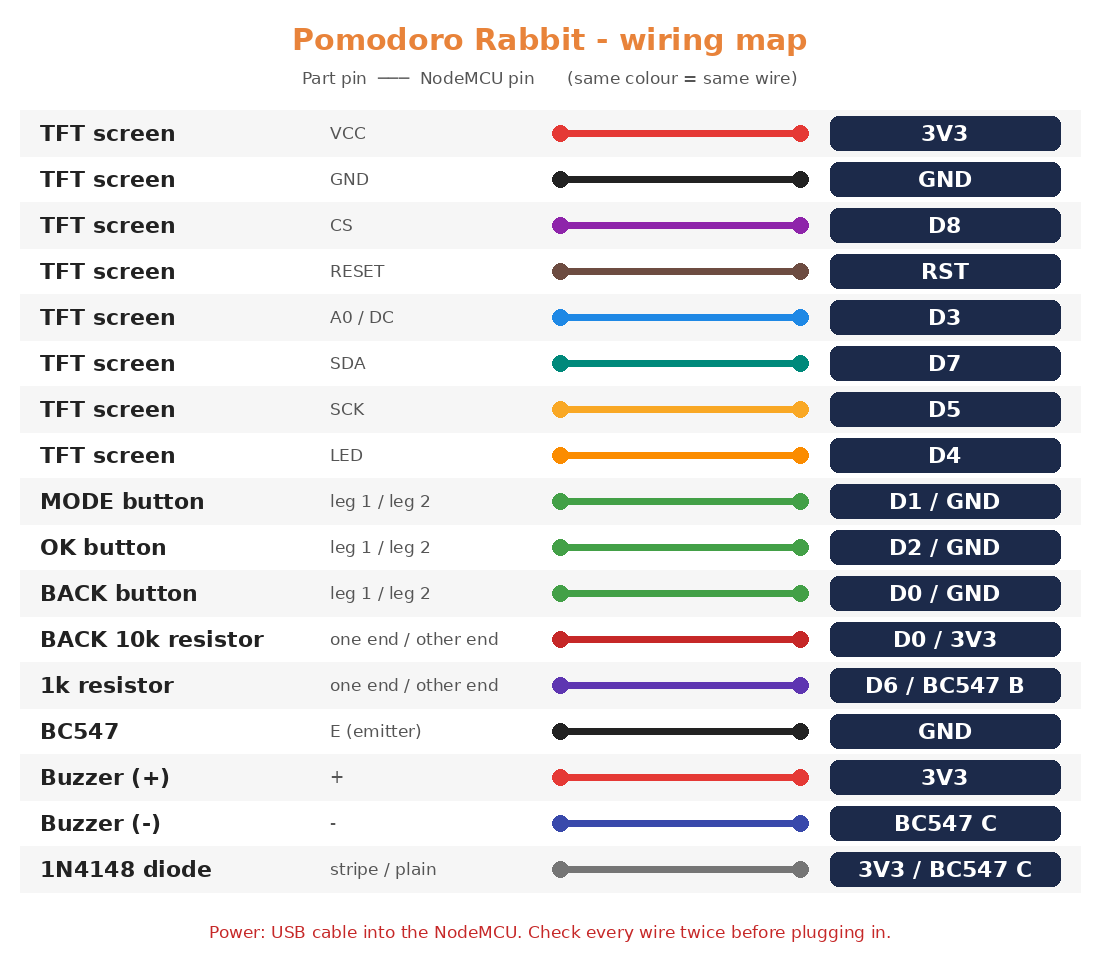
Wiring diagram

⚠️ Don't short TFT VCC to LED, and give BACK (D0) an external 10 kΩ pull-up to 3V3.

Flash it

Arduino IDE, about 10 minutes.

  1. Install the Arduino IDE and add the ESP8266 boards URL: https://arduino.esp8266.com/stable/package_esp8266com_index.json
  2. Boards Manager → install esp8266 by ESP8266 Community (tested with 3.1.2).
  3. Library Manager → install Adafruit GFX and Adafruit ST7735 and ST7789.
  4. Open pomodoro_rabbit_v2/pomodoro_rabbit_v2.ino. Board: NodeMCU 1.0 (ESP-12E), Flash: 4MB (FS:2MB), Erase: Only Sketch.
  5. Upload. Join the Pomodoro-Setup hotspot from your phone, pick your Wi-Fi, done.
arduino-cli compile -b esp8266:esp8266:nodemcuv2:eesz=4M2M pomodoro_rabbit_v2

Grab the code

Firmware, art generators, wiring and step-by-step build sketches, all MIT licensed.